Screenshots
App details
- Version
- 2.1.0.12
- Size
- 1.61 MB
- Updated
- November 2, 2009
- Requires
- Windows ME
- Language
- English
- License
- Free
- Developer
- Visit Website
- Category
- Windows OS
SoftPas in:
This product is also available in the following languages:
About Random Playlist Creator with Genres
Download Random Playlist Creator with Genres – customizable, genre‑based playlist generator
Overview
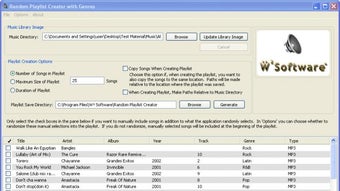
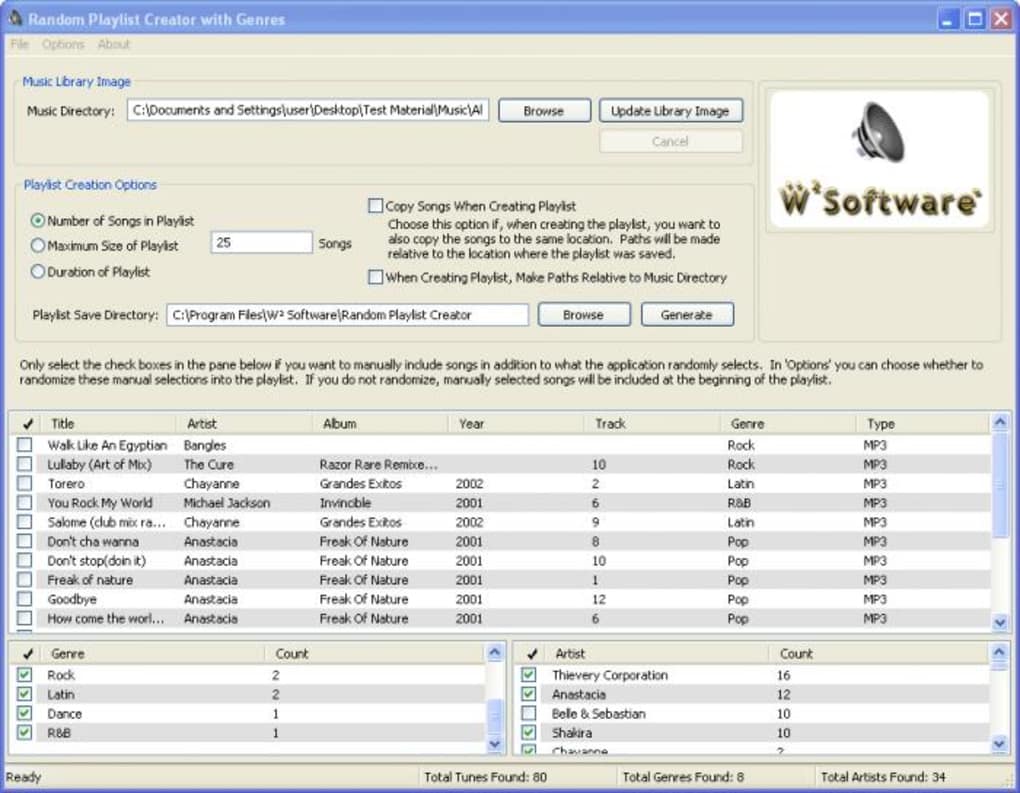
Random Playlist Creator with Genres is a lightweight desktop utility designed to turn a massive music library into perfectly tailored playlists without the tedious drag‑and‑drop routine most players force on you. The app scans the folder you point it to, builds an internal database from the ID3 tags of each file, and then lets you filter by genre, artist, title, or any combination of those three dimensions. Whether you want a short 45‑minute road‑trip mix, a 100‑song marathon, or a playlist limited by total file size, the program gives you precise control. The interface is intentionally simple: three panels display the songs, their genres, and their artists, while a set of numeric fields lets you define the playlist’s length, number of tracks, or total megabytes. Recent updates add two smart features – duplicate handling across multiple playlist generations and a per‑artist selection threshold – which prevent the same track or artist from dominating a newly created list. The tool works best when your music files are correctly tagged; otherwise, the filter logic may miss songs or place them in the wrong genre bucket. For users with well‑organized libraries, Random Playlist Creator with Genres can generate a fresh, surprise‑filled playlist in seconds, saving hours of manual curation.
Key Features
- Automatic library scanning – just point to your music folder and let the app read every ID3 tag.
- Three‑level filtering: genre, artist, and title for granular playlist control.
- Playlist size options – define by duration (minutes), number of tracks, or total file size (MB).
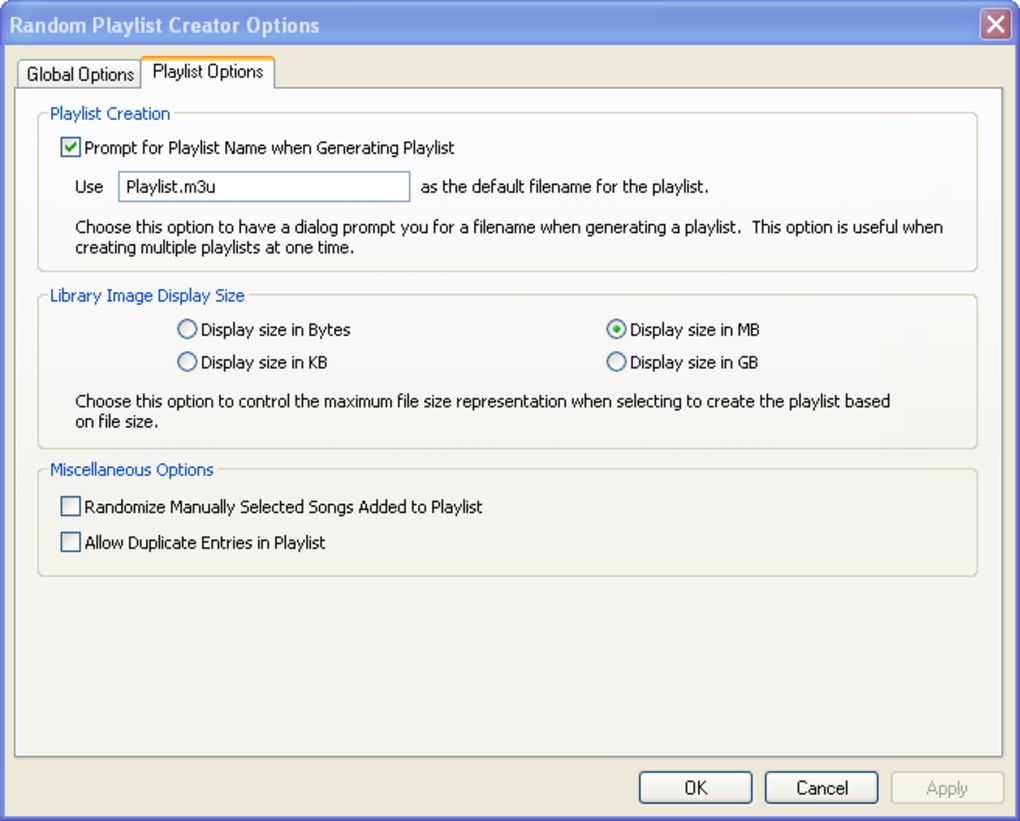
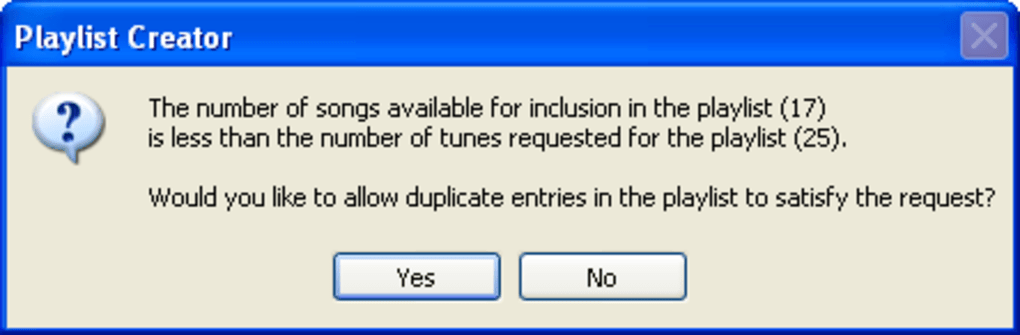
- Duplicate‑skip mode – choose to exclude exact repeats or skip duplicates every ‘n’ playlist creations.
- Artist‑threshold setting – limit how many tracks from a single artist can appear in one playlist.
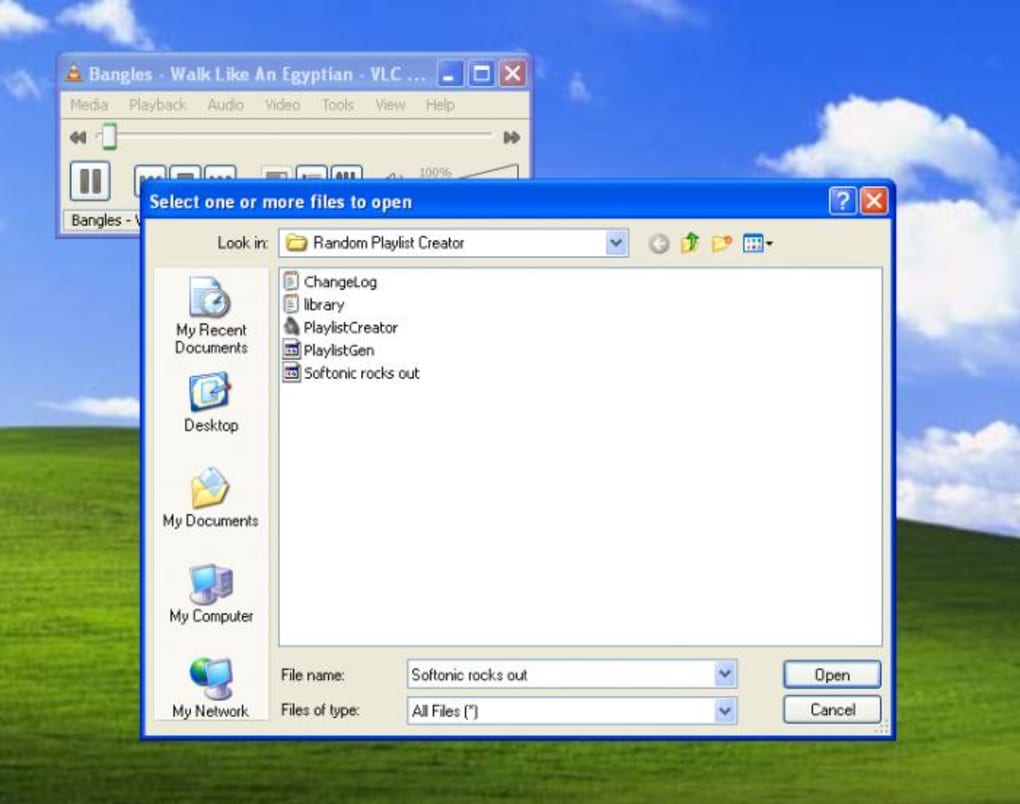
- Export to standard .m3u or .pls files, compatible with virtually any media player.
- Simple, uncluttered UI – no steep learning curve, perfect for beginners and power users alike.
- Free to download, with optional paid upgrade for priority support and future feature requests.
Installation, Usage & Compatibility
Step‑by‑step installation
1. Download the installer from the official site – the file is a compact .exe for Windows or a .dmg for macOS.
2. Run the installer and follow the on‑screen wizard. The program requires no additional runtimes; it bundles the .NET framework for Windows and a native Cocoa wrapper for macOS.
3. When prompted, choose the destination folder (the default works for most users). The installer creates a start‑menu shortcut and an entry in the Applications folder on macOS.
4. After installation, launch “Random Playlist Creator with Genres” and allow it to access your music directories (Windows will show a UAC prompt; macOS may request folder permissions).
How to create a playlist
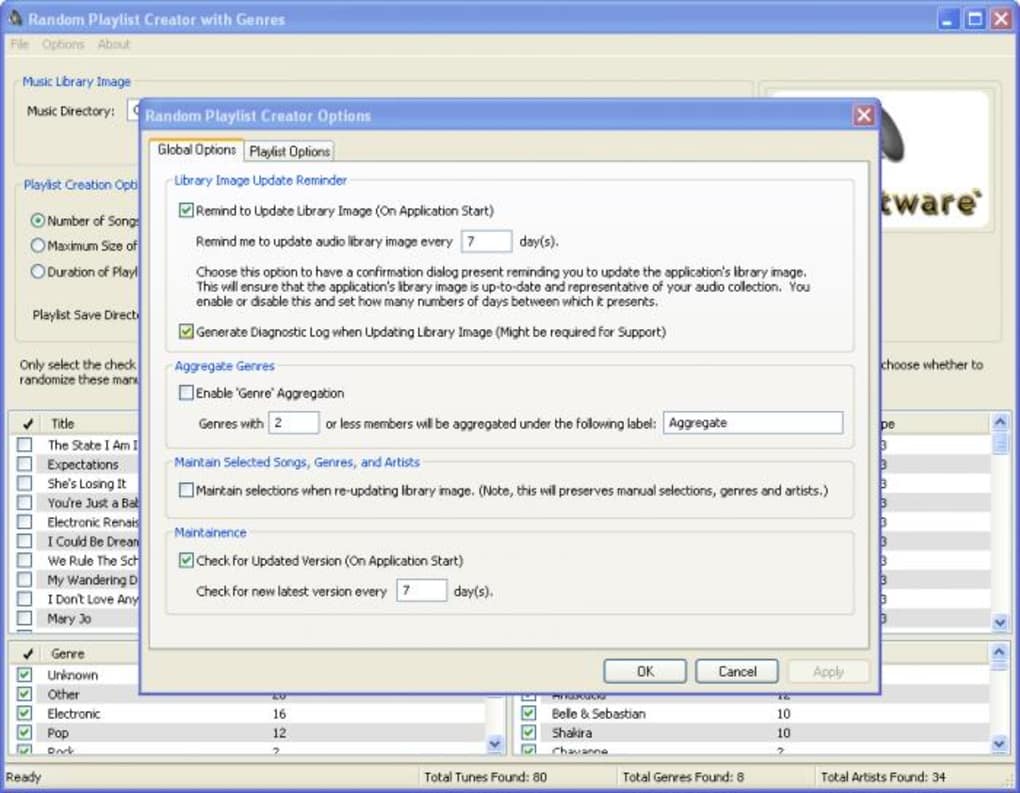
Upon first launch, click the Browse button and select the root folder containing your MP3, FLAC, or AAC files. The program will scan the directory, reading each file’s ID3 tags and populating three columns: Song Title, Genre, and Artist. Use the checkboxes above each column to include or exclude specific entries. For example, uncheck “Pop” in the Genre column to keep the playlist strictly rock‑oriented. Next, decide on the playlist’s size – enter “45” in the Duration field for a 45‑minute mix, or type “30” in the Number of Songs field for a 30‑track list. If you prefer a size‑based playlist, fill the “Total Size (MB)” box instead. The new duplicate handling options appear under the Advanced Settings tab: enable “Skip duplicates every N playlists” and set N to 2 if you want a fresh set every other generation. The artist‑threshold slider lets you cap the maximum tracks per artist, useful for libraries dominated by a single band. Finally, click Create Playlist. The app writes the resulting list to a .m3u file, which you can open directly in VLC, Windows Media Player, iTunes, or any other player that supports the format.
Supported operating systems: Windows 7, 8, 10, 11 (64‑bit) and macOS 10.13 (High Sierra) or later. The application does not have native Android or iOS versions, but the generated .m3u files can be transferred to mobile devices and played with any compatible music app.
Pros, Cons & Frequently Asked Questions
Pros
- Fast, automated playlist generation saves time.
- Three‑level filter gives unmatched precision.
- Duplicate and artist‑threshold controls reduce repetition.
- Exports to universally accepted playlist formats.
- Free core version with a clean, ad‑free interface.
Cons
- Relies heavily on accurate ID3 tagging; poorly tagged files can cause unexpected results.
- No built‑in tag editor – users must clean tags separately.
- Desktop‑only; no mobile app for on‑the‑go playlist creation.
- Advanced options are hidden in tabs, which may be overlooked by first‑time users.
FAQ
Do I need an internet connection to use Random Playlist Creator?
No. The software works completely offline. It only reads local files and writes the playlist to your computer.
Which audio formats are supported?
MP3, FLAC, AAC, WAV, and OGG are recognized. As long as the file contains standard ID3 or Vorbis tags, the app can read its metadata.
Can I save multiple playlists at once?
Yes. After defining your first playlist, click “Save As” and repeat the process with different filter settings. The duplicate‑skip feature helps keep each list unique.
What should I do if my songs are not appearing under the correct genre?
Fix the tags using a dedicated tag editor such as Mp3Tag or MusicBrainz Picard, then rescan the library from the app’s “File > Rescan Library” menu.
Is there a way to automate playlist generation on a schedule?
The free version does not include scheduling. However, you can use Windows Task Scheduler or macOS Automator to launch the .exe/.app with command‑line arguments that specify your preset filters.
Conclusion & Call to Action
Random Playlist Creator with Genres fills a niche that many music enthusiasts overlook: the need for a fast, intelligent way to generate surprise‑filled playlists without manually sorting through thousands of tracks. Its strength lies in the three‑tier filter system and the newly added duplicate‑skip and artist‑threshold options, which together ensure that each generated list feels fresh and balanced. While the reliance on proper metadata can be a hurdle for some, the trade‑off is a remarkably efficient workflow for anyone who keeps their library tidy. The free version already offers a solid set of tools, and the optional paid upgrade unlocks priority support and early access to future enhancements. If you spend more time curating playlists than actually listening to music, give Random Playlist Creator with Genres a try – it could shave hours off your routine and bring back the joy of discovery.
Download Random Playlist Creator with Genres now and start building the perfect soundtrack for any occasion.
Pros: fast generation, precise filtering, duplicate control, free core version.
Cons: tag‑dependency, no built‑in editor, desktop‑only.
Guides & Tutorials
How to install Random Playlist Creator with Genres
- Click the Download button above.
- Once redirected, accept the terms and click Install.
- Wait for the Random Playlist Creator with Genres download to finish on your device.
How to use Random Playlist Creator with Genres
This software is primarily used for its core features described above. Open the app after installation to explore its capabilities.
User Reviews
No reviews yet. Be the first to share your experience.
You may also like
more
Llama 2
Free-to-use large language model As the new addition to Meta’s arsenal of langua...

NotebookLM
Revolutionizing the note-taking and idea-generation process NotebookLM is an exp...

Github co pilot
AI-inspired software development and coding platform GitHub Copilot is a browser...

Google Gemma
Google’s lightweight AI models Introducing Google Gemma , a family of cutting-ed...

AI Image Enlarger
A free app for Windows, by ai-image-larger. AI Image Enlarger is a free software...

DALL E
AI-driven text-to-image transformation engine DALL·E is a free graphic and desig...